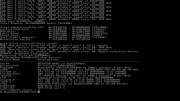
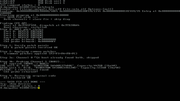
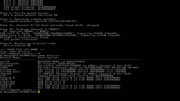
So far 2100 is stable here but 1900,2000 is good i think. The specs from the pa6t is 1.8/2Ghz so I think this is fine. Hope the Rx patch will work, that were fantastic.
I had a bit of trouble loading the commands. My CFE hasn't changed in years and yet now it's always broken when reading USB. It can see the files but gives an ELF error and says files are not ELF. I don't know what it's looking at. I give up. I just copied all the files to my boot volume.
I see you chose a slightly lower load area before standard load point. And crashes are fixed by using -noints argument. Seriously? All the years I had to put up with CFE crashing after amigaboot.of exits. Son of a bitch! The "experts" could have told us. It's designed to crash, but adding this will fix it.
All the commands are verbal so interesting to read. Patches pass tests on my system. Do they patch in CFE code area or divert code to another place?
I'm with sailor about the SATA patch. I actually have all my ports full. A Blu reader, writer, Samsung 1G HDD and 512MB Kingston SSD. I couldn't see a way to scan the ports. By the looks of it there's no scan command unless I missed it. USB can be rescanned but can SATA? I didn't see any SATA commands. Don't see a way rescan bus. So far as I knew bus would be scanned while CFE is initialising.
What's this multi block speed hack trick you found?
I had a bit of trouble loading the commands. My CFE hasn't changed in years and yet now it's always broken when reading USB. It can see the files but gives an ELF error and says files are not ELF. I don't know what it's looking at. I give up. I just copied all the files to my boot volume.
make sure to use the -fs argument. e.g. -fs=amigafs or -fatfs or -fs=ext2. Here on my system, even if "dir cf0:" works, loading the patches without the -fs argument does not.
I am booting from a cf0:, the compact flash formatted FFS
- Added probing for Channel 1, so SATA ports 3 and 1 now work. - Fixed detection of "slave" devices even if no "master" is present. - Devices on any port will now be detected. You can have Port 0 (Ch0) and Port 3 (Ch1), or Port 2 (Ch0) and Port 1 (Ch1) working together, etc.
Looks like SATA in CFE is working in PATA compatibility mode (incl. "master/slave", which doesn't exists in native SATA mode), which is the same as sg2's AmigaOS 4.x SATA drivers (sii31[15][24]) are doing. You already seem to have added some optimizations ("pio32", no idea what exactly you changed there), but if you have access to sg2's AmigaOS 4.x driver sources check my PIO optimizations in it (multi word accesses, multi sector reads/writes, etc.), maybe my a4000/a1200ide.device parts as well, especially if CFE only supports PIO but no (U)DMA modes.
I see you chose a slightly lower load area before standard load point. And crashes are fixed by using -noints argument. Seriously? All the years I had to put up with CFE crashing after amigaboot.of exits. Son of a bitch! The "experts" could have told us. It's designed to crash, but adding this will fix it.
If you mean crashes "after some time" those yes, fixed by -noints, that disable timer for. But if you mean crashes like "can't run from amigafs" - then no, that not -noints, but make whole binary be flat, and without paging, because CFE can't do normal "seek" on the amigafs and because of that crashes. When i disable paging and make it all looks flat so no needs for seeking, crashes on running from amigafs gone.
Quote:
Do they patch in CFE code area or divert code to another place?
Some (like Sata one), simple patch the necessary function one time and remove own body. The others ones, like cmds and keycon make a hooks and sits in memory on functions of CFE which need to patch to make new functionality to work. Addresses itself used for everything (hooks, trampoline, data buffers, etc) all 0x7FC0xxxx, just differs so to not clash between patches.
Quote:
I couldn't see a way to scan the ports. By the looks of it there's no scan command unless I missed it. USB can be rescanned but can SATA? I didn't see any SATA commands. Don't see a way rescan bus. So far as I knew bus would be scanned while CFE is initializing.
Patch rescan them all and enable channel1 as well. Just seems there issue when more than 2 devices attached on the same time, i need do test it on my one with 3 and 4 hdds at same time for proper fixing.
@Joerg Quote:
Looks like SATA in CFE is working in PATA compatibility mode (incl. "master/slave", which doesn't exists in native SATA mode), which is the same as sg2's AmigaOS 4.x SATA drivers (sii31[15][24]) are doing.
SATA in CFE works in IDE emulation mode, yes : master/slave thing, that why originally you can't have just sata to be in slave, you should have or just master, or master + slave, simple slave no go. That one i fixed (all in all its ide _emualtion_, but its sata, ahci and stuff), so you have have single "slave" too (which kind of logical for you when you see sata ports, that they should just work, without crypto-ide-emulation).
Next, they simple do not enable channel1, i mean absolutely, it wasn't probing and simple were disabled, that one i add too, so you can have any device in any of 4 ports and it will works.
Through as Sailor and Hypex point there seems to be some issue appears when there is more than 2 ports used at the same time (and , "show device" were also designed to be like "ide master/slave", so only ide0.0 and ide0.1 , that one also need to fix so to have ide0.2 and ide0.3, at moment not sure if it just command itself or ide-emulator need to be deal with).
Quote:
You already seem to have added some optimizations ("pio32", no idea what exactly you changed there), but if you have access to sg2's AmigaOS 4.x driver sources check my PIO optimizations in it (multi word accesses, multi sector reads/writes, etc.), maybe my a4000/a1200ide.device parts as well, especially if CFE only supports PIO but no (U)DMA modes.
That maybe good that i don't have access to any amigaos4 source code (no legal issues at all ever) :) But you are right the first thing i add is just multi-sector read, CFE by default just damny do (read) 1 sector per ATA command (!). So firstly i made some batching, which give me just +1 second won on the 8 seconds kickstart loading, not much, but were expected because issue is CFE PIO0 by default.. Then , i simple added what i call pio32, just because i replace PIO reads from original "lhz" to the "lwz" from data register (so 32bit pio reads) and add some more batching so there will be no needs all the time call gazillion of instructions. In end from almost 8 seconds of module loading, i dumps to ~3s. Much better but still not good enough !
And then i give it a rest and added dma reads, result is unbelievable : modules loads in 0.336s, can you imagine that ? 8 seconds vs 0.3 second ! And that all after all those "we tried to speed up but we can't blablal", simple damn DMA and that all !
@All
So, progress for RadeonRX : i were able to find a bug (it was a simple wrong bit in one of registers) , but then, find out with some thing which need some time, called RadeonRX didn't support 8bit modes anymore, while RadeonHD are : that basically second issue is/was. CFE, despite the output it's found "32bit mode and use it" are lie, in reality it find and use 8 bit mode. And seeing disassembly whole CFE are hardcoded to use 8bit mode only. What it mean is : be it RadeonHD or RadeonRX, once you use 16bit or 32bit modes , it then all wrong resolutions and issues with colors. But at least i go till that point that RadeonRX show me the same as RadeonHD on 32bit mode:
Now, what i need is to think what to do best and how easy to do it, or patch lots of functions in CFE, or mimicry like we 8bpp mode (for CFE) , but then it mean programming of RX registers, or dunno what .. So fighting for now, but as i already have RadeonRX show the CFE on 32bit same as RadeonHD (even if it didn't looks tasty) it mean : all works, just a matter to spend some time and properly do all this..
@K-L Quote:
For those who have an X1000 supporting 2,1Ghz in AmigaOS 4.1, they can use a6 and the other stick with a5 at 2Ghz.
Why not, 2000 and 2100 looks good too. They all can be reprogrammed easily if anyone will be in wish for 1900 for some reasons.
sata.elf: not works for me or I made something wrong. Patch booted OK ( command status = 0 ), But I not seen disks on ide0.2 and 0.3 - they are not in show devices and dir command returns: Could not init file system: Insufficient memory. Dir with 0.0 worked normally. Note: On sb600sata.device:3 I have HDD with another bootable ffs partition with amigaboot.of
Ok, i give it a go, and seem i got what your issues are, and patch seems ok.
For first you need to know that there no ide0.2 and ide0.3. There 2 channels , 0 one is ide0.0 and ide0.1, and a first one, which is ide1.0 and ide1.1. The error "Could not init file system: Insufficient memory", happens when you tried to dir a device which is not present, like try any other one, like:
CFE> dir -fs=amigafs ide10.10:

Could not init file system: Insufficient memory

*** command status = -5

CFE>
But that error is misleading, this is "fsamiga" error. When you will try simple dir ide10.10: , it also will be misleading:
CFE> dir ide10.10:

Could not get directory listing: Unsupported function

*** command status = -19
Misleading because issue actually that there no ide10.10, and only when you run with dir -fatfs , this way will say you correctly that there is no device of this kind:
CFE> dir -fatfs ide10.10:

Could not init file system: Device not found

*** command status = -6
So, now, i tried to attach 3 SSD at one time, and show device show correctly:
CFE> show devices

Device Name          Description

-------------------  ---------------------------------------------------------

uart0                NS16550 UART at 0xFCFF03F8

pcconsole0           PC Console (USB/VESA)

eeprom0              Microchip 24LC128 EEPROM on SMBus channel 0 dev 0x57

eth0                 PA Semi Ethernet (ge3) at 0xE00A3000 (02-00-E0-0A-30-00)

flash0.os            SPI flash at FFE00000 offset 00000000 size 1024KB

flash0.boot          SPI flash at FFE00000 offset 00100000 size 1024KB

therm0               TI TMP423 Thermal Sensor on SMBus channel 0 dev 0x4C

cf0                  CompactFlash ATA disk unit 0 at 0xF0000000

ide0.0               PCI IDE disk unit 0 at I/O 0000 (PCI:E0590000)

usbdisk0             USB Disk unit 0

usbdisk1             USB Disk unit 1

ide1.0               PCI IDE disk unit 0 at I/O 0000 (PCI:E0590000)

ide0.1               PCI IDE disk unit 1 at I/O 0000 (PCI:E0590000)

*** command status = 0

CFE>
See, ide0.0, ide0.1 and ide1.0. Dir works on them , but you need to choose correct fs.
Next, i attach 4 devices, then it works too:
....

ide0.0               PCI IDE disk unit 0 at I/O 0000 (PCI:E0590000)

ide0.1               PCI IDE disk unit 1 at I/O 0000 (PCI:E0590000)

usbdisk0             USB Disk unit 0

usbdisk1             USB Disk unit 1

ide1.0               PCI IDE disk unit 0 at I/O 0000 (PCI:E0590000)

ide1.1               PCI IDE disk unit 1 at I/O 0000 (PCI:E0590000)

....
See, ide0.0, ide0.1 (channel0) and ide1.0 , ide1.1 (channel1).
And remember , when you do "dir", be sure that :
1). If it ffs, you should "dir -fs=amigafs idex.x:" , or it will return error about memory. 2). If it fatfs, you should "dir -fatfs idex.x:" , or it will return errors about memory too. 3). "dir" and all filesystem handlers in the CFE suck hard in terms of proper error reporting, so that probably also need fixing.. And whole way how "Dir" handle FS suck pretty much and cleary looks very very hacky-fast-done. But that for later, firstly want to deal with RadeonRx.
Anyway, plz, confirm that all works for you now.
Edited by kas1e on 2026/4/4 9:54:28 Edited by kas1e on 2026/4/4 9:57:35 Edited by kas1e on 2026/4/4 10:06:56 Edited by kas1e on 2026/4/4 10:09:39
I found a little glitch wen trying to save a CFE variable after the cmds.elf patch has been loaded.
After the cmds.elf patch has been loaded, a variable with multiple entries will not be saved, but executed after the ";".
The input is directly from the X1000, not over serial. I found another little glitch when using serial, when using cls, in the terminal one line will remain on screen, below the actual prompt. But it does not seem to affect anything so it's only cosmetic and for me nothing has to be done for this second glitch.
Back to the first, I hope the video explains it best.
@sailor You say sb600sata.device, but this one is pure amigaos4 thing, we in CFE have no any device, just a CFE code , so it's own internal handling of devices. Or you just mean that amigaos4 did find them fine ?
Also you say "mostly when I used sata.elf it not find any additional disk.", you mean sometime it found and sometime not ? And what you mean by additional disk, the ones in the channel1 (i.e. port 1 and 3) ?
For now all i can think of is that you have CD attached as well.. Can you try to unplug CD , so no atapi0.1, and see, if then 3 disks will be found ?
Also can you say me plz, in which ports what, not by how it detected by amigaos'4 sb600sata.device, but how they hardwarid: on motherboard there PORT 0, 1 ,2 ,3 , so if take into account that sata device on amigaos4 mirror them, then you have that :
channel0 (2 ports together, the ones close to cpu):
channel1 (also 2 ports together, the ones comes near to case):
port1: DVD port3: HDD amigaos 4.1u6 partitions incl. FFS amigaboot.of
That correct ? I just need to know which one didn't find and on which port, and if it:
a). always the same disk not found ? does not matter what port ? b). this is disk placed on the same channel as CD-DVD one ? c). is this disk slave or master one on channel ? (i.e. port 0 of channel0 or port 1 of channel1)
And you also say "Only once it found sb600sata:2 linux disk:", but after that "But sb600sata:3 not visible." , so which one exactly can't be find ? both of them randomly ? the one in channel0 on port2, or the one in channel1 on port 3 ? Or it's all random and you have no pattern ?
Why i nitpicking about, because i need to just recreate myself it there, so will see issue myself...
Anyway, as first test try plz simple unplug DVD, and see if all 3 will be find, if yes, then that some clashing to sort out, if no, then we need to go deeper..
In meantime i will try to connect DVD too, maybe that will be it..
@Tuvok Oh ! I was able to reproduce your issue ! ONLY after i insert realteck card just like you have in another PCI slot ! So memory layout shifts, hooks fail, damn ! But at least i can reproduce your issue fully now !
Try plz (if you can) to remove your realtack from PCI slot, just for one single test, and then run satapatch to see if all your 4 devices finds now and shown in "show device"
Now only to understand why Sailor have issues..
@sailor Do you have by some luck some other device installed in your X1000, i see from show devices you have no second network card installed, but maybe something else which may shift memory ? CF card, some additional card in PCI slots, maybe 2 videos cards at the same time, etc ?
Edited by kas1e on 2026/4/4 18:42:39 Edited by kas1e on 2026/4/4 18:52:09 Edited by kas1e on 2026/4/4 18:55:46
But you are right the first thing i add is just multi-sector read, CFE by default just damny do (read) 1 sector per ATA command (!). So firstly i made some batching, which give me just +1 second won on the 8 seconds kickstart loading, not much, but were expected because issue is CFE PIO0 by default.. Then , i simple added what i call pio32, just because i replace PIO reads from original "lhz" to the "lwz" from data register (so 32bit pio reads) and add some more batching so there will be no needs all the time call gazillion of instructions. In end from almost 8 seconds of module loading, i dumps to ~3s. Much better but still not good enough !
That are basically the 2 main optimizations I added in the AmigaOS 4.x drivers (both PATA and SATA as all of sg2's drivers, except for the NCR SCSI one, are 99% the same code with only tiny, hardware dependant differences) for PIO as well.
Quote:
And then i give it a rest and added dma reads, result is unbelievable : modules loads in 0.336s, can you imagine that ? 8 seconds vs 0.3 second ! And that all after all those "we tried to speed up but we can't blablal", simple damn DMA and that all !
Just changing the PIO mode from PIO0 (3,33 MB/s) to PIO4 (16,66 MB/s) would already have helped a lot, 5 times faster, but still would have been a little bit more than 1 second. Using UDMA is even much better of course, from 16,66 MB/s (UDMA 0) to 166 MB/s (UDMA 7), but I didn't know that CFE supports (U)DMA, IIRC U-Boot doesn't.
Of course! Here the results and your prediction were right!
I first disconnected the SCSI card, it made no difference. Then I proceeded to remove the Realtek, that was hard, it was still with the glue Matthew or whoever did the job at AmigaKit! haha
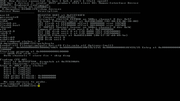
Freshly booted show devices without satapatch
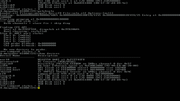
applying satapatch
There is a strange character at Step 3a: Channel 0 [b]³Çö[b] boot already.....
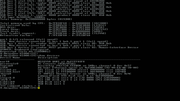
show devices after satapatch
Just to politely ask, have you seen my before last post, with the video and issue with saving variable when commands patch is applied?


 News feed
 OS4 Feedback forum
 OS4Depot Feedback forum
 AmiCygnix forum
 ABC shell forum
 AmiKit forum
 Cinnamon Writer forum
 CodeBench forum
 Digital Universe forum
 Dopus 5 forum
 E-UAE forum
 Gnash forum
 Ibrowse forum
 JAmiga forum
 Odyssey forum
 OWB forum
 Qt forum
 SmartFileSystem forum
 Timberwolf forum
 TouchDevice forum
 TuneNet forum
 Unsatisfactory Software forum
 Donate