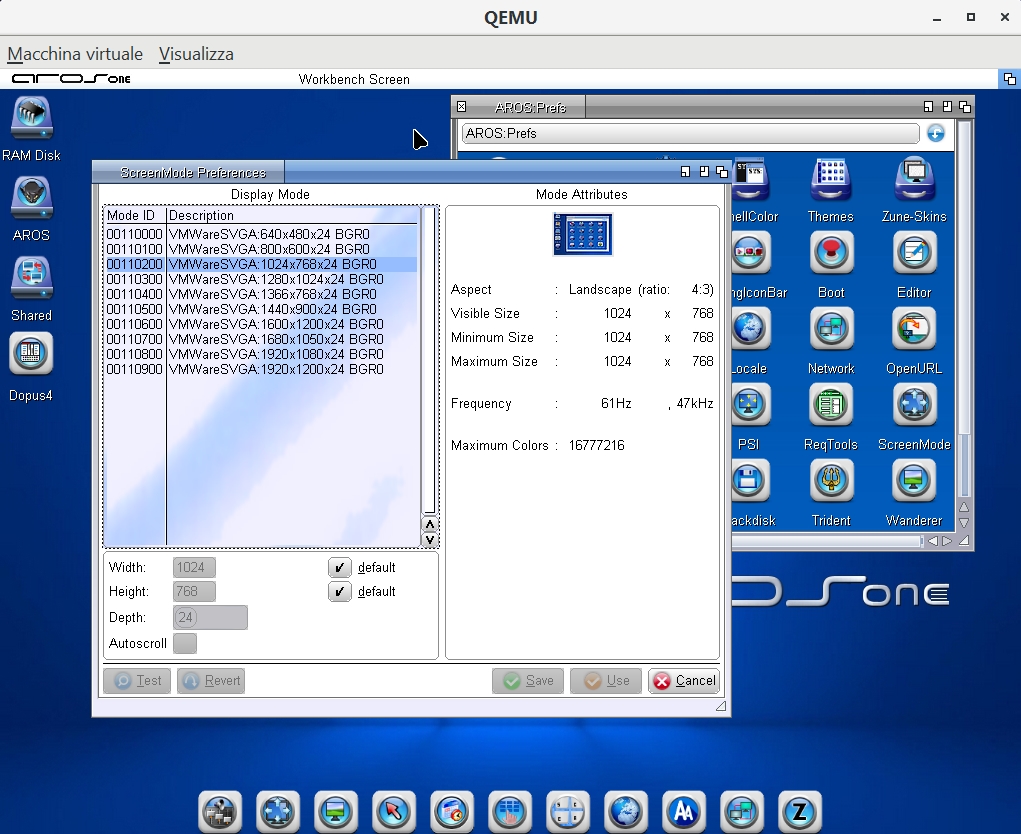
@balaton Qemu 9 version I use for Sam460 on Mac Mini M1 and u-boot from git qemu 28.10.2025, I will leave a video with the options I used for testing. It works well
So got my QEMU AmigaOs4 setup done pretty much, need to install A-EON stuff, but otherwise, got to OS4.1update 3 level with the fastest version of iBowser working.
Thank you for this app, it likely I wouldnt be able to figure this out without it .
Suggestions for the Manual
You done a pretty good job of the step by step progress of install, I did get stuck on one bit, page 75, it says "To install software from the "Extras Installer" included in the OS ISO, first attach the ISO to the virtual system. For guidance on this, refer to the FAQ section."
Why do I have to go to the FAQ page, and lose my place in following the great, step by step guide, you can guess, I didnt make a note of what page I was up to when I had to find the guide in the FAQ, so please just duplicate the info in that section.
Also the guide was a bit vauge, it says
"Press CTRL+ALT+2 (Control+Option+2 on macOS) on your keyboard to open the monitor window. Type change cd <give here the path to your iso image> and press Enter."
but its not
change cd <C:/amigaos.iso>
its
change cd "c:/amigaos.iso"
for example if the amigaos iso was located on the c drive. this did catch me out, lucky I done a bit of coding and command lines, so thought it be quotation marks " and not arrow bracks <>
Also one other note, at Page 92 on doc, you should put a note about that you may get the APPDIR: device is missing error and this is fixed after the second AmigaOS update is applied. I know this is in the FAQ section, but if you following along again the step by step progress then the a user like me, might what to be reassure you not done anything wrong at that point.
Just some feedback. Great little app and great manual that so many devs overlook sometime
Why do I have to go to the FAQ page, and lose my place in following the great, step by step guide, you can guess, I didnt make a note of what page I was up to when I had to find the guide in the FAQ, so please just duplicate the info in that section.
Fair point. I will do that.
Quote:
but its not change cd <C:/amigaos.iso>
Usually, the <> in guides mean that this whole section need to be changed. You shouldn't include those characters. I am sorry I didn't make it clear. I will update the manual.
Quote:
Also one other note, at Page 92 on doc, you should put a note about that you may get the APPDIR: device is missing error and this is fixed after the second AmigaOS update is applied. I know this is in the FAQ section, but if you following along again the step by step progress then the a user like me, might what to be reassure you not done anything wrong at that point.
Fair point as well. I will update the manual.
Quote:
Just some feedback. Great little app and great manual that so many devs overlook sometime
I appreciate your feedback, and I want to assure you that I will improve it based on it. And thank you for taking the time to read the manual. This has information that I believe it is useful for everyone who would like to emulate AmigaOS 4 using QEMU and not only for those who use Kyvos.
I do have quick question if you know anything about AHI setting and if QEMU setting confit with it.
I got audio out, I have it set as SB128: HiFi 16bit stereo++ and can hear the test beeps.
I installed both AmigaAmp and TuneNet, both complain about AHi.device not being update, so I downloaded and installed the latest version, but still come up with the same error.
I never had to play around with this on my X1000 it all just worked. cheers.
I having fun time resetting up my system on this QEMU, so far no Gurus, which I'm kinda amazed by so far, even on my X1000 i would of had one by now. Just this AHI issue.
I am so sorry I missed your message and didn't reply yet. But I will try now. When you set the AHI configuration, set also the Music Unit 0. Some software uses that for music. Maybe that is the reason of failure. On my system I use AmigaAmp and I know it works fine. I haven't tested tunenet to be honest.
@AMIGASYSTEM
These are great news. I am sure that this will improve the user experience considerably. Would it need any changes on how the qemu emulated system run?
On the Qemu side, you need to use the ‘-vga vmware’ option, while in the operating system you need to update ‘vmwaresvga.hidd’, path: SYS\Devs\Drivers.
## 1.8.0 [2025-11-27] ### Added - Added a check for error when VM files are deleted. If that fails an information requester appears - Added the Debug level field under the Hardware tab, which is related to the Serial output - Added a new tab and a text field to add custom Qemu arguments in the arguments window. - Added a check if a VM is running when Kyvos starts, and change its icon in the list - Added the "Check for updates..." and "Roadmap" options under the "Help" menu
### Fixed - Fixed an issue with mounting the third hard disk, which conflicted with the CD - Fixed the reset of the custom paths when the setup run
## 1.8.0 [2025-11-27] ### Added - Added a check for error when VM files are deleted. If that fails an information requester appears - Added the Debug level field under the Hardware tab, which is related to the Serial output - Added a new tab and a text field to add custom Qemu arguments in the arguments window. - Added a check if a VM is running when Kyvos starts, and change its icon in the list - Added the "Check for updates..." and "Roadmap" options under the "Help" menu
### Fixed - Fixed an issue with mounting the third hard disk, which conflicted with the CD - Fixed the reset of the custom paths when the setup run
@AmigaNG The new graphics driver is available solely from my qmiga.codeberg.page because I'd like people to know about all the stuff there so I don't mind if Kyvos supports adding it to Kickstart from a zip you downloaded but I'd like people to download it directly and not others redistrubute it. Also when linking to it please link to the main page or at least https://qmiga.codeberg.page/qemu-ati-vga-driver-latest.html which should work if I ever move the page.
@AmigaNG Thank you for your support and the good words.
Like @balaton said, it is preferred that the driver is downloaded from his website manually by the users. In one of the future releases, I will make sure Kyvos will support it, and also make the process as easy as possible for the users. But for now, balaton has information on his website how this can be used.
By the way it's really easy to use with Kyvos for anybody without any special support. Just create the Kickstart.zip with Kyvos as usual then replace ATIRadeon.chip in Kickstart.zip with the one from my page and that should be it. I don't know how to specify video card in Kyvos but if it has additional command line options you can add -device ati-vga,model=rv100,guest_hwcursor=on there to select that video card.
Kyvos 2.0.0 got released. Here is a list of what changed
## [2.0.0] - 2026-04-22 ### Added - Added a process for automatic installation of AmigaOS 4 on emulated AmigaOne and Pegasos2 systems - Added a check if a VM is already running, before running it again. An error message will appear in the case of running twice a VM - Added a check if the Qemu executable exists before running a VM. An error message will appear in case of non-existing qemu executable - Added a button and a context menu item for stopping a running VM - Created a new Network tab and added a field to change the hostname of a VM - Added snapshots implementation. Now the user can create copies of the main VM files and restore them later. Please read the manual for details. - Added a new button in the serial output window to clear the text - Added a buffer in the serial output to avoid messing the information in it, when a lot of output comes fast
### Changed - Heavy code refactoring - Moved the menu items "About" and "About Rapa_GUI" under the "Help" menu - Renamed the first menu to "Project" - Renamed the Network tab to Port forwarding - Now MorphOS systems can be set to use an emulated SM502 gfx card - Reduced the number of console windows that open on Windows during a VM creation
I forgot to mention that my monthly supporters will automatically get a price reduction when they try to purchase Kyvos v2, as a thank you for their constant support.
In case someone tries to run Kyvos on macOS and that has some issues or macOS complains that the app is broken, I put some information at https://pms.walkero.gr/projects/kyvos/wiki/Wiki on how to bypass it.
You guys asked for it and I listened. A new version of Kyvos got released, with the ati-vga driver supported.
## [2.1.0] - 2026-04-26 ### Added - Added support for ati-vga on supported emulated AmigaOS 4 systems, as found at http://zero.eik.bme.hu/~balaton/qemu/amiga/. This is not installed automatically and need some manual work by the user - Added information for the ati-vga driver in the FAQ section of the manual
### Changed - Updated the FAQ section in the manual, grouping the questions in topics for easier navigation


 News feed
 OS4 Feedback forum
 OS4Depot Feedback forum
 AmiCygnix forum
 ABC shell forum
 AmiKit forum
 Cinnamon Writer forum
 CodeBench forum
 Digital Universe forum
 Dopus 5 forum
 E-UAE forum
 Gnash forum
 Ibrowse forum
 JAmiga forum
 Odyssey forum
 OWB forum
 Qt forum
 SmartFileSystem forum
 Timberwolf forum
 TouchDevice forum
 TuneNet forum
 Unsatisfactory Software forum
 Donate