pegasos2.rom.org = original firmware pegasos2.rom pegasos2_kas1e.rom - your new firmware version testkas1e.hdf = disk image with AmigaOS 4.1FE containing Update 3 (kernel 54.57) and standard boot via amigaboot.off testkas1e-2.hdf = disk image with AmigaOS 4.1FE containing Update 3 (kernel 54.57) and standard boot via bboot (bboot.fth) Tested on an ASUS RX 560 Dual Fan OC 2 GB graphics card and QEMU-11.
1. Booting on the original PEG2 firmware and standard system boot ".qemu-system-ppc -M pegasos2 -m 1024 -bios pegasos2.rom.org -rtc base=localtime -serial none -vga none -nographic -parallel none -device ide-hd,drive=hd-drive,bus=ide.0 -drive file=testkas1e.hdf,if=none, id=hd-drive,format=raw -device vfio-pci,host=01:00.0,x-vga=on,multifunction=on,bus=pci.0,x-igd-gms=0xff -device vfio-pci,host=01:00.1,bus=pci.0....."
The system does not boot; there is no firmware output screen on the RadeonRX card.
2. Booting on the original PEG2 firmware and booting the bboot system ".qemu-system-ppc -M pegasos2 -m 1024 -bios pegasos2.rom.org -rtc base=localtime -serial none -vga none -nographic -parallel none -device ide-hd,drive=hd-drive,bus=ide.0 -drive file=testkas1e-2.hdf,if=none, id=hd-drive,format=raw -device vfio-pci,host=01:00.0,x-vga=on,multifunction=on,bus=pci.0,x-igd-gms=0xff -device vfio-pci,host=01:00.1,bus=pci.0....."
The system boots correctly, no firmware output screen on the RadeonRX card screen -> https://ibb.co/YBJjdy4N
3. Booting on the new PEG2 firmware and standard system boot ".qemu-system-ppc -M pegasos2 -m 1024 -bios pegasos2_kas1e.rom -rtc base=localtime -serial stdio -vga none -nographic -parallel none -device ide-hd,drive=hd-drive,bus=ide.0 -drive file=testkas1e.hdf,if=none, id=hd-drive,format=raw -device vfio-pci,host=01:00.0,x-vga=on,multifunction=on,bus=pci.0,x-igd-gms=0xff -device vfio-pci,host=01:00.1,bus=pci.0....." The system does not boot; there is a firmware output screen on the RadeonRX card. screen -> https://ibb.co/8LGzjYyw
RTAS instantiate base=01EE8BE0 size=00002A90 blob=00002A90 src_hash=E220CAD1 dst_hash=E220CAD1 words=7CA802A6 48000225 4800011D 480000ED
RadeonRX (2): Identified the chipset as: POLARIS11
RadeonRX (2): Graphics card name is: Radeon RX Polaris11
RadeonRX (2): If - and only if - your card does not work or does not work optimally
please submit a bug report at:
http://www.amiga.org/developer/bugreports
Remember to include the driver version, and the following card details:
0x67FF:0x1043:0x052D:
and *please* describe the problems you are seeing in detail.
graphics.library AltiVec/VMX enabled
graphics.library PPC74xx optimizations enabled
RadeonRX (0): RadeonRX.chip 2.11 (26.1.2022)
RadeonRX (2): Identified the chipset as: POLARIS11
RadeonRX (2): Graphics card name is: Radeon RX Polaris11
RadeonRX (2): If - and only if - your card does not work or does not work optimally
please submit a bug report at:
http://www.amiga.org/developer/bugreports
Remember to include the driver version, and the following card details:
0x67FF:0x1043:0x052D:
and *please* describe the problems you are seeing in detail.
RadeonRX (0): ERROR: Could not get the video RAM resource range
Dump of context at 0x02252460
Trap type: DSI exception
Machine State (raw): 0x0000B030
Machine State (verbose): [ExtInt on] [Super] [FPU on] [IAT on] [DAT on]
Instruction pointer: in module RadeonRX.chip+0x0009DD5C (0x01D7055C)
Crashed task: exec.task (0x6FFAB240)
DSI verbose error description: Access not found in hash or BAT (page fault)
Access was a load operation
0: 01CEFB38 02220130 0020F800 00000000 00000000 00000000 01000800 02253B17
8: 022536CC 00000000 00000000 02220088 26022482 FFF045B4 6FF13000 6FFA4070
16: 60700000 6FFAB780 6FF1B000 6FF57150 6FF963A4 6FF66010 020230E0 00000001
24: 0000004F 6FFA4000 00000000 02410000 00000000 6FF03EEC 6FF03000 6FF03000
CR: 2A022824 XER: 00000000 CTR: 018370FC LR: 01CEFB38
DSISR: 40000000 DAR: 00000000
screen ->https://ibb.co/HDWggYfc In AOS4 debug mode, an infinite loop of the error “Could not get the video RAM resource range” appears continuously.
4. Booting on the new PEG2 firmware and starting the bboot system. ".qemu-system-ppc -M pegasos2 -m 1024 -bios pegasos2_kas1e.rom -rtc base=localtime -serial stdio -vga none -nographic -parallel none -device ide-hd,drive=hd-drive,bus=ide.0 -drive file=testkas1e-2.hdf, if=none,id=hd-drive,format=raw -device vfio-pci,host=01:00.0,x-vga=on,multifunction=on,bus=pci.0,x-igd-gms=0xff -device vfio-pci,host=01:00.1,bus=pci.0....." The system does not boot; there is a firmware output screen on the RadeonRX card. screen -> https://ibb.co/8LGzjYyw
In AOS4 debug mode, an infinite loop of the error “Could not get the video RAM resource range” appears continuously.
RTAS instantiate base=01EE8BE0 size=00002A90 blob=00002A90 src_hash=E220CAD1 dst_hash=E220CAD1 words=7CA802A6 48000225 4800011D 480000ED
RadeonRX (2): Identified the chipset as: POLARIS11
RadeonRX (2): Graphics card name is: Radeon RX Polaris11
RadeonRX (2): If - and only if - your card does not work or does not work optimally
please submit a bug report at:
http://www.amiga.org/developer/bugreports
Remember to include the driver version, and the following card details:
0x67FF:0x1043:0x052D: <name of board>
and *please* describe the problems you are seeing in detail.
graphics.library AltiVec/VMX enabled
graphics.library PPC74xx optimizations enabled
RadeonRX (0): RadeonRX.chip 2.11 (26.1.2022)
RadeonRX (2): Identified the chipset as: POLARIS11
RadeonRX (2): Graphics card name is: Radeon RX Polaris11
RadeonRX (2): If - and only if - your card does not work or does not work optimally
please submit a bug report at:
http://www.amiga.org/developer/bugreports
Remember to include the driver version, and the following card details:
0x67FF:0x1043:0x052D: <name of board>
and *please* describe the problems you are seeing in detail.
RadeonRX (0): ERROR: Could not get the video RAM resource range
Dump of context at 0x02252460
Trap type: DSI exception
Machine State (raw): 0x0000B030
Machine State (verbose): [ExtInt on] [Super] [FPU on] [IAT on] [DAT on]
Instruction pointer: in module RadeonRX.chip+0x0009DD5C (0x01D7055C)
Crashed task: exec.task (0x6FFAB240)
DSI verbose error description: Access not found in hash or BAT (page fault)
Access was a load operation
0: 01CEFB38 02220130 0020F800 00000000 00000000 00000000 01000800 02253B17
8: 022536CC 00000000 00000000 02220088 26022482 FFF045B4 6FF13000 6FFA4070
16: 60700000 6FFAB780 6FF1B000 6FF57150 6FF963A4 6FF66010 020230E0 00000001
24: 0000004F 6FFA4000 00000000 02410000 00000000 6FF03EEC 6FF03000 6FF03000
CR: 2A022824 XER: 00000000 CTR: 018370FC LR: 01CEFB38
DSISR: 40000000 DAR: 00000000
Now, when you say that "All graphics cards emulated in QEMU and supported by AOS4 work correctly with the original pegasos2.rom. ", it make it sounds , like with new firmware they stop working ? Or what ?
Here's a very simple example using sm501 in QEMU. Test code:
#### pegasos2-kas1e.rom # Here on the testkas1e.hdf disk the boot.fth file is actually amigaboot.of!!!! /home/markus/QEMU/qemu-11/bin/qemu-system-ppc -machine pegasos2 -rtc base=localtime -m 1024 -serial stdio -vga none -bios ./pegasos2_kas1e.rom -drive format=raw,if=none,id=rdb,file=testkas1e.hdf -device ide-hd,drive=rdb,bus=ide.0 -device sm501 # bboot.fth /home/markus/QEMU/qemu-11/bin/qemu-system-ppc -machine pegasos2 -rtc base=localtime -m 1024 -serial stdio -vga none -bios ./pegasos2_kas1e.rom -drive format=raw,if=none,id=rdb,file=testkas1e-2.hdf -device ide-hd,drive=rdb,bus=ide.0 -device sm501 #### pegasos2.rom # Here on the testkas1e.hdf disk the boot.fth file is actually amigaboot.of!!!! /home/markus/QEMU/qemu-11/bin/qemu-system-ppc -machine pegasos2 -rtc base=localtime -m 1024 -serial stdio -vga none -bios ./pegasos2.rom -drive format=raw,if=none,id=rdb,file=testkas1e.hdf -device ide-hd,drive=rdb,bus=ide.0 -device sm501 # bboot.fth /home/markus/QEMU/qemu-11/bin/qemu-system-ppc -machine pegasos2 -rtc base=localtime -m 1024 -serial stdio -vga none -bios ./pegasos2.rom -drive format=raw,if=none,id=rdb,file=testkas1e-2.hdf -device ide-hd,drive=rdb,bus=ide.0 -device sm501
Based on this example, it seems that pegasos2_kas1e.rom is trying to change something it shouldn't. Perhaps when it is unable to initialize VGABIOS, it tries to force a change? The original pegasos2.rom behaves correctly. test video -> https://youtu.be/ZSJgQdRSdZQ
@smarkusg Ok thanks, that enough for me to play with, will keep you informed once deal with or have more info about.
@mlehto Quote:
That part I didnt understood.What you mean you run POST? By setting vga0/vga1?
Any gfx card have it's x86 bios which we run over emulator, which do "POST" (basic init of video card, etc): so, we do this "emulator POST initialization" only for the card we choose (that only for firmware itself) , so to avoid extra time spend on card which is not the one to show firmware on.
@kas1e There is one more thing that might be useful: I tested pegasos2_kas1e.rom under QEMU on Linux. For the test, I used ‘-device virtio-gpu-pci’ 1. Test for pegasos2.rom – the system boots up and the kernel loads correctly
qemu-system-ppc  -machine pegasos2 -rtc base=localtime -device virtio-gpu-pci -serial stdio  -vga none  -bios ../pegasos2.rom  -drive format=raw,if=none,id=rdb1,file=test_linux_a.hdf -device ide-hd,drive=rdb1,bus=ide.0

boot hd:0 vmlinuz-5.15.132-peg root=/dev/sda2 video=uvesafb:1024x768-16, console=tty0

--

Preparing to boot Linux version 5.15.132-mc6-pegasos2 (markus@markus-HP-EliteBook-8470p) (ppc-linux-gnu-gcc (GCC) 11.1.0, GNU ld (GNU Binutils) 2.36) #1 Mon Aug 5 22:50:56 CEST 2024

Detected machine type: 00000500

command line: root=/dev/sda2 video=uvesafb:1024x768-16, console=tty0

memory layout at init:

  memory_limit : 00000000 (16 MB aligned)

  alloc_bottom : 0288e000

  alloc_top    : 20000000

  alloc_top_hi : 20000000

  rmo_top      : 20000000

  ram_top      : 20000000

instantiating rtas at 0x0fbfd000... done

Fixing up missing ISA range on Pegasos...

Fixing up IDE interrupt on Pegasos...

Fixing up IDE class-code on Pegasos...

copying OF device tree...

Building dt strings...

Building dt structure...

Device tree strings 0x0288f000 -> 0x0288e0a4

Device tree struct  0x02890000 -> 0x00000000

Quiescing Open Firmware ...

Booting Linux via __start() @ 0x01814000 ...


Linux/PPC 5.15.1

--
2. Test for pegasos2_kas1e.rom – error when loading the Linux kernel. The system freezes/fails to boot.
I think it may be a problem with RTAS. The "instantiating rtas" line is missing in your failed case. RTAS has functions to read PCI config which I think these OSes use so maybe that's not correctly implemented. I think MorphOS does not use it but reads PCI config directly so you can cross check if MorphOS boots, then it's likely an RTAS problem.
@balaton You're right about that, because I did check it, but I didn't mention it here as the topic concerns AmigaOS4. Morphos boots up with the sm501 card.
@smarkusg I don't remember exactly, it was discussed on this forum somewhere, but I think Hans's changes for PCI bridge support in the latest unreleased pegasos2 kernel may also changed AmigaOS to not use RTAS for this so if @kas1e uses that kernel version, that may explain why this problem did not occur there. Earlier in this thread I think @kas1e also mentioned something about RTAS only supporting first PCI bus which is a limitation of how it is defined and cannot easily be changed because it's what the OSes depend on so I think it does not worth trying to fix it in firmware if it's already fixed in the kernel. For QEMU every device is on the PCI bus anyway so this would only be an issue with real machine with a bridge and the easiest way to support that is to release the fixed kernel not to break the firmware for it. Basically I think the OS can use RTAS to discover the devices on the PCI bus including the bridge but then needs to use its own bridge driver to access devices behind the bridge where it can't use RTAS any more.
In the version i send to smarkusg, RTAS was a blob-massive in c-array taken fully from original. I currently already rewrote it on readable assembler code, but so far it was original which i didn't touch (only lately). But it still of course can be problems as vga based code were new (original sources of smartfirmware didn't have any).
Quote:
I think MorphOS does not use it but reads PCI config directly so you can cross check if MorphOS boots,
Yes, morphos has it's own pci probe code, and it sure like that because when we for example check on what bus and where bridge and device in placed in morphos, it shows the logical: all usuall stuff on pci0/bus0, the AGP video as expected on pci1/bus0 , the bride in pci on pci0/bus0 as expected too, and the card behind the bridge is on pci0/bus1 , as expected too.
On amigaos4, even with fixed kernel, while bridge is on bus0 as expected, the RadeonHD card and it's Audio is on bus 2 , not on bus1 , who know why and what the reasons behind, but looks a bit unlogical.
Also, i do not get why in Ranger on pegasos2 , the whole list is Flat. I mean, for example if we take amigaone and sam boards, when you go to pci bus in ranger, and you check bridge , it have "+" which you can tick, and it will expand to show you what is on this bridge. On pegasos2 , there is no single "+" for anything, everything comes like a flat list. And i do not know why too , because if we use not RTAS in fixed kernel , but direct pci config access, then it should be no "flat" anymore. But maybe RTAS there involved again somehow, dunno.
And yes amigaos4 , originally (and in public kernel) just an RTAS usage. But RTAS on original smartfirmware have bugs as we know, and the ones which i find already is : any non zero PCI bus numbers, (like bus 1 behind a PCI2PCIe bridge), were for first encoded incorrectly and for second routed through the wrong config registers. So as result, read-pci-config and write-pci-config fail.
What Hans did is in 54.57 kernel add fix for 64/32bar issue (the one you fixed in BBOOT before), and this 54.57 kernel is out in public now with update3. Then, in 54.66 he add direct pci config access instead of RTAS , because, and of mention issues i find, and , because there also were issues with reading from wrong memory or something, so he always return 0xFFFFFFFF when trying to do so via RTAS, and then allocation of the memory always were failed (and, that by the way the same on Linux for pegasos2, they also code for RTAS, and also for card behind a bridge have 0x00000000 when trying to alloc memory for).
Now, we in situation of total mess with kernel : it's owned by AEON, and who know if ever any new kernel will be released. I mean, it can ends up that we will have no new kernel release ever.
And, with what we left now (at least as i see it):
RTAS should be fixed in firmware in any case, because
1). we have only 54.57 kernel, and if that will be last one (which we always should think about as a possible outcome), we need to work with that limitation. So, fixing RTAS and related bugs will make it works.
2). Morphos has it's own pci probing code, that ok, but Linux same fail with RTAS, of course, we can add code to linux for direct pci config register usage, but i do not want to , and ISOs of linux long ago done, no one will ever know there any update if i will fix it in linux source code, etc, so , fixing RTAS will help casual known .isos of linux for peg2 to work too with bridge.
So.. What i tried to do for now, is to fix properly RTAS, so os4's RTAS-usage code will have it all correctly, and we will have no needs for kernel update in that regard. But if ever there will be kernel update, then no problems too, as this one will works over direct pci config register usage.
On amigaos4, even with fixed kernel, while bridge is on bus0 as expected, the RadeonHD card and it's Audio is on bus 2 , not on bus1 , who know why and what the reasons behind, but looks a bit unlogical.
Just a guess but it may be confusion between pci and bus numbers. I mean PegasosII has pci0 and pci1 and maybe the bridge was added as pci2 not pci0/bus1?
Quote:
Now, we in situation of total mess with kernel : it's owned by AEON, and who know if ever any new kernel will be released. I mean, it can ends up that we will have no new kernel release ever.
AFAIK it's not AEon only Trevor personally so maybe he's more sensible about letting it released.
Quote:
So.. What i tried to do for now, is to fix properly RTAS, so os4's RTAS-usage code will have it all correctly, and we will have no needs for kernel update in that regard. But if ever there will be kernel update, then no problems too, as this one will works over direct pci config register usage.
If you can do that just by fixing the RTAS call alone then that's probably OK but if it also needs changing the device tree I would not go that far for this. But this may be trying to patch up bugs in Linux and AmigaOS kernel instead of fixing those.
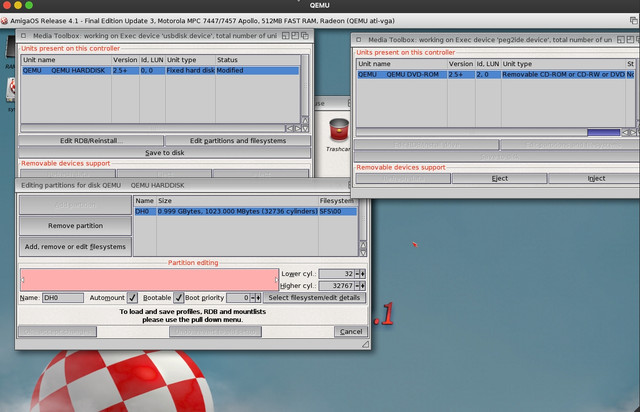
@kas1e I’ve been testing pegasos2_kas1e.rom a bit more under QEMU From what I’ve noticed, it’s possible to boot the AOS4 system from USB It’s also possible to boot Linux from USB... if anyone’s interested, I’ll post a description of my test. Here is the description: The QEMU command
testpegU2.hdf = RAW image. On actual hardware, you can connect the system drive via an IDE-to-USB adapter to a USB port – the result will be the same.
show-devs
Pegasos BIOS Extensions Rewrite Copyright 2026 by kas1e.

All Rights Reserved.

Auto-boot in 0 seconds - press ESC to abort, ENTER to boot:

error: error while trying to load or boot

ok  show-devs

/ (chrp)

/openprom

/openprom/client-services

/aliases

/options

/packages

/packages/terminal-emulator

/packages/deblocker

/packages/disk-label

/packages/obp-tftp

/chosen

/memory@0 (memory)

/cpus

/cpus/PowerPC,74x7 (cpu)

/cpus/PowerPC,74x7/l2-cache (l2-cache)

/cpus/PowerPC,74x7/l3-cache (l3-cache)

/rtas

/failsafe (serial)

/ethernet

/ethernet/port1 (network)

/pci@80000000 (pci)

/pci@80000000/host@0

/pci@80000000/ethernet@1

/pci@80000000/display@2 (display)

/pci@80000000/usb@C,2 (usb)

/pci@80000000/usb@C,3 (usb)

/pci@80000000/usb@C,3/scsi@1 (scsi)

/pci@80000000/usb@C,3/scsi@1/disk@0,0 (block)

/pci@80000000/isa@C (isa)

/pci@80000000/isa@C/serial@i2F8 (serial)

/pci@80000000/isa@C/8042@i60 ()

/pci@80000000/isa@C/keyboard@i60 (keyboard)

/pci@80000000/isa@C/rtc@i70 (rtc)

/pci@80000000/isa@C/timer@i40 (timer)

/pci@80000000/isa@C/fdc@i3F0 (fdc)

/pci@80000000/isa@C/lpt@i3BC (lpt)

/pci@80000000/ide@C,1 (spi)

/pci@80000000/ide@C,1/cdrom@1,0 (block)

/pci@80000000/other@C,4

/pci@80000000/sound@C,5

/pci@80000000/pci1106,3068@C,6

/pci@C0000000 (pci)

/pci@C0000000/host@0

/bootconsole (display)

ok
assigns itself data under the alias ‘usb’
devalias usb /pci@80000000/usb@C,3/scsi@1/disk@0,0,0
boots the system via the command line
boot usb:0 amigaboot.of
The system boots from USB and works fine
full kernel debug
Booting configuration AmigaOS_4.1_Final_Edition

RTAS instantiate base=01E555C0 size=00002A90 blob=00002A90 src_hash=E220CAD1 dst_hash=E220CAD1 words=7CA802A6 48000225 4800011D 480000ED

graphics.library AltiVec/VMX enabled

graphics.library PPC74xx optimizations enabled

peg2ide.device 53.22 (28.6.2017)

[peg2ide/dev_init] Xfer modes forced in $peg2ide_xfer : FFFF

[peg2ide/dev_init] IRQ modes forced in $peg2ide_irq : 1111

[peg2ide/dev_init] Found chip #0

[peg2ide/init_port] ---> Port 0

[peg2ide/init_port] IOBase 00001040, AltBase 0000104E

[peg2ide/init_port] bmcr_base 00001060

[peg2ide/init_port] MMIOBase 00000000

[peg2ide/init_port] Config not forced, scanning port 0...

[peg2ide/reg_config] assuming device 0 is TYPE_NONE

[peg2ide/reg_config] assuming device 1 is TYPE_NONE

[peg2ide/reg_config] there is no device 0 (sc 00 sn 00)

[peg2ide/reg_config] there is no device 1 (sc 00 sn 00)

[peg2ide/init_port] 0 device(s) on port

[peg2ide/init_port] ---> Port 1

[peg2ide/init_port] IOBase 00001050, AltBase 0000105E

[peg2ide/init_port] bmcr_base 00001068

[peg2ide/init_port] MMIOBase 00000000

[peg2ide/init_port] Config not forced, scanning port 1...

[peg2ide/reg_config] assuming device 0 is TYPE_NONE

[peg2ide/reg_config] assuming device 1 is TYPE_NONE

[peg2ide/reg_config] there seems to be a device 0, assuming TYPE_UNKN

[peg2ide/reg_config] there seems to be a device 1, assuming TYPE_UNKN

[peg2ide/reg_config] device 0 is ATAPI

[peg2ide/reg_config] device 1 is unknown (sc 01 sn 01 cl FF ch FF st 00

[peg2ide/init_port] 1 device(s) on port

[peg2ide/port_list]  0 Master : 'ATAPI'

[peg2ide/port_list]  1 Slave  : 'unknown type'

[peg2ide/init_port] Starting 'peg2ide.device - chip 0 port 1' task

[peg2ide/init_unit] Trying to configure unit 2

[peg2ide/ata_read_drive_properties] Adjusting unit 2 to xfer mode 69

[peg2ide/init_unit] Unit configured, flags $011D

[peg2ide/init_unit] Trying to configure unit 3

[peg2ide/ata_read_drive_properties] After-reset signature invalid for unit 3

[peg2ide/init_port] Port 1 task started

[peg2ide/dev_init] All done

it8212ide.device 53.22 (28.6.2017)

[it8212ide/dev_init] Nothing started, bailing out

lsi53c8xx.device 53.22 (28.6.2017)

[lsi53c8xx/dev_init] Nothing started, bailing out

sii0680ide.device 53.22 (28.6.2017)

[sii0680ide/dev_init] Nothing started, bailing out

sii3112ide.device 53.22 (28.6.2017)

[sii3112ide/dev_init] Nothing started, bailing out

sii3114ide.device 53.22 (28.6.2017)

[sii3114ide/dev_init] Nothing started, bailing out

sii3512ide.device 53.22 (28.6.2017)

[sii3512ide/dev_init] Nothing started, bailing out

[mediaboot] Diskboot is present. Skip mounting static devices.

[USB] WARNING | "MassStorage Device Task" | "Massstorage" | Created usbdisk.device/0

[bootmenu] Detected machine type = Pegasos II

[bootmenu] No preferred BootDevice specified

[bootmenu] Preferred keyboard device is "keyboard.device" unit 0

[bootmenu] PeekQualifier(): LMB is up, MMB is up, RMB is up

[bootmenu] Input handler installed

[bootmenu] Waiting 100 ticks for user input

[bootmenu] No user input detected within wait loop

[bootmenu] Removed input handler

[bootmenu] PeekQualifier(): LMB is up, MMB is up, RMB is up

[bootmenu] Continuing normal boot sequence

[strap] Begin

[strap] Skipping non-boot node 0x6FFA83E2 (type = 111)

[strap] Skipping non-boot node 0x6FFFD760 (type = 0)

[strap] Device node "DH0" is boot point device

[strap] Handover to dos for "DH0"


[DOS] Starting DOS 54.136 -- Kernel debug level is 5

[DOS] Bootnode from expansion->mountlist is device name "DH0"

[DOS] "Initial CLI" process started, doslib creation task now ending.


[RAM] Handler has started successfully. [DebugLevel=5]

No CMI8738 found! :-(

CS4281 DRIVERINIT

No card present.

[VIA-AC97] Error: soft resume timed out!

No SOLO_ONE found! :-(

No SB128 found! :-(

No FM801 found! :-(

No Envy24 found! :-(

[DOS LCP] Received ACTION Type 31.

[DOS LCP] INHIBITED ON.

[DOS LCP] Received ACTION Type 31.

[DOS LCP] INHIBITED OFF.

[DOS LCP] Received ACTION Type 31.

[DOS LCP] INHIBITED ON.

[DOS LCP] Received ACTION Type 31.

[DOS LCP] INHIBITED OFF.

[DOS LCP] Received ACTION Type 31.

[DOS LCP] INHIBITED ON.

[DOS LCP] Received ACTION Type 31.

[DOS LCP] INHIBITED OFF.
@smarkusg Yes, USB boot was the first thing i add once make UHCI working better than original : you can use USB CD-ROM too btw, and not only on UHCI but also on EHCI and even OHCI :) It wasn't hard after CFE/x1000 patches once i realised that to make thing be visibly in amigaboot, all it's need it to be "block" device doesn't matter if it USB or CD or HDD/SSD/etc.
Currently USB boot is the heaven for me on pegasos2 for real tests: if not that, i had to boot always from CD which kind of unpossible for fast work.
Right now i need to deal with this "RTAS" issues so to make Radeon cards works over bridge on public kernel if possible, and then can make wide release of first version (also of course fixing what you find too)
To add some tease i also add basic support for NVidia cards into the firmware, and have output on AGP version of Geforce2, but, to make any use of it i also want ot make 2D driver for OS4 (that why i started this another topic). Without 3D of course, just some basic 2D stuff so to have WB on it, etc, as it's not main thing for now per se, but to just fill the gap so having output in firmware make sense in end of all :)
It's great that you're able to fix old bugs and missing things and improve our hardware. And may I ask what the advantage is of having a GeForce 2 driver? Wouldn't it be more beneficial to have a Radeon R300 driver in AmigaOS?
AmigaOS3: Amiga 1200 AmigaOS4: Micro A1-C, AmigaOne XE, Pegasos II, Sam440ep, Sam440ep-flex, AmigaOne X1000 MorphOS: Efika 5200b, Pegasos I, Pegasos II, Powerbook, Mac Mini, iMac, Powermac Quad
Wouldn't it be more beneficial to have a Radeon R300 driver in AmigaOS?
That for no benefits, just to have something which we never have, to give ability to use those old cards too (and probably Linux supported them through Noveau already) and to gain some experience for myself :) Pluse to have some opensource repo where ppls will find how to write graphics drivers for os4 and we will no more have those issues.
But yes, after all Radeon R300 will be not bad to have too, it's also should be not that hard as modern Radeons, and if i got it right also was AGP form too ? What was the best one from this era ? 9800 XT ?
..not only on UHCI but also on EHCI and even OHCI ..
Yeah, I checked—it works. I compiled a 6.x PPC linux kernel for Pegasos 2 that still supported CHRP, and I tested a few things under (Linux system boot options, etc.) Quote:
@All I have another logical thing to deal with : how we should call and handle USB storages aliases (be it CD USB or USB sticks), i.e. we have currently :
ok devalias

Alias                 Device Path

--------------------------------------------------

keyboard              /pci@80000000/usb@C,2/device@2/keyboard@0

usbkeyboard           /pci@80000000/usb@C,2/device@2/keyboard@0

net                   /pci@80000000/ethernet@D:speed=10,duplex=half

ide                   /pci@80000000/ide@C,1/disk@0,0

hd                    /pci@80000000/ide@C,1/disk@0,0

ide0                  /pci@80000000/ide@C,1/cdrom@1,0

cd                    /pci@80000000/ide@C,1/cdrom@1,0

screen                /bootconsole

ttya                  /failsafe

ok
How should we deal with USB ?
Because usb can be and in usb@c,3 and in usb@c,2 and usb@c,6/7/etc for PCI usb cards, etc.. Always doing "boot pci@80000000/usb@c,3/scsi@1/disk@0,0:0 amigaboot.of" kind of boring, so aliasess surely need it, just how ? one single for usb@c,3 probably not enough..
So far for ide and cd they choose the first ones, but what about usb ? usb@c,2 as far as i can tell are ones on the back, and usb@c,3 are ones connected by case's wires..
smarkusg wrote:@kas1e [quote]I compiled a 6.x PPC linux kernel for Pegasos 2 that still supported CHRP, and I tested a few things under (Linux system boot options, etc.)
Oh it it great also. Please, will be this kernel available for download?
In real Pegasos 2 is most capable for linux among 1st AmigaNG generation..
AmigaOS3: Amiga 1200 AmigaOS4: Micro A1-C, AmigaOne XE, Pegasos II, Sam440ep, Sam440ep-flex, AmigaOne X1000 MorphOS: Efika 5200b, Pegasos I, Pegasos II, Powerbook, Mac Mini, iMac, Powermac Quad
Oh it it great also. Please, will be this kernel available for download?
I don't know which Linux distribution you're using on PEG2 or which version. For QEMU on PEG2, I use a very minimalistic GNU/Linux distribution called Adelie Linux. It's fairly up-to-date, and I can test whatever I need. I have “CONFIG_MODULE_COMPRESS_XZ=y” set, which might not work in very old distributions. As far as I remember, the built-in network card doesn't work on the latest versions when used on actual hardware. You checked versions 5.x at my request and there were problems—the system stopped booting. I disabled it in the kernel compilation. I can always precompile it for you, but right now it’s probably better to wait until @kas1e finishes working on his pegasos2.rom. Booting the system from USB makes it easy to run various systems from USB on real hardware. Using QEMU and PEG2 emulation, you’ll be able to prepare a USB drive to boot Linux and use it easily. You can already prepare even a new drive (not USB), install a system (AOS4, MorphOS, Linux) using QEMU, and plug it into a real Pegasos 2 machine. For AmigaOS 3, I think most people are currently preparing their system drives using WinUAE because it’s simpler.
Edited by smarkusg on 2026/5/22 23:15:46 Edited by smarkusg on 2026/5/22 23:23:30
smarkusg wrote:@sailor I don't know which Linux distribution you're using on PEG2 or which version. For QEMU on PEG2, I use a very minimalistic GNU/Linux distribution called Adelie Linux. It's fairly up-to-date, and I can test whatever I need. I have “CONFIG_MODULE_COMPRESS_XZ=y” set, which might not work in very old distributions. As far as I remember, the built-in network card doesn't work on the latest versions when used on actual hardware. You checked versions 5.x at my request and there were problems—the system stopped booting. I disabled it in the kernel compilation. I can always precompile it for you, but right now it’s probably better to wait until @kas1e finishes working on his pegasos2.rom. Booting the system from USB makes it easy to run various systems from USB on real hardware. Using QEMU and PEG2 emulation, you’ll be able to prepare a USB drive to boot Linux and use it easily. You can already prepare even a new drive (not USB), install a system (AOS4, MorphOS, Linux) using QEMU, and plug it into a real Pegasos 2 machine. For AmigaOS 3, I think most people are currently preparing their system drives using WinUAE because it’s simpler.
Now I have on Pegasos Debian Jessie with kernel 3.16. If there will be more modern kernel I will try Debian Sid here. I agree we can wait for kas1e´s firmware. And if you need some testing on real hardware, please let me know. Thanks!
AmigaOS3: Amiga 1200 AmigaOS4: Micro A1-C, AmigaOne XE, Pegasos II, Sam440ep, Sam440ep-flex, AmigaOne X1000 MorphOS: Efika 5200b, Pegasos I, Pegasos II, Powerbook, Mac Mini, iMac, Powermac Quad


 News feed
 OS4 Feedback forum
 OS4Depot Feedback forum
 AmiCygnix forum
 ABC shell forum
 AmiKit forum
 Cinnamon Writer forum
 CodeBench forum
 Digital Universe forum
 Dopus 5 forum
 E-UAE forum
 Gnash forum
 Ibrowse forum
 JAmiga forum
 Odyssey forum
 OWB forum
 Qt forum
 SmartFileSystem forum
 Timberwolf forum
 TouchDevice forum
 TuneNet forum
 Unsatisfactory Software forum
 Donate