nowadays I'm forgetting things more than I remember things
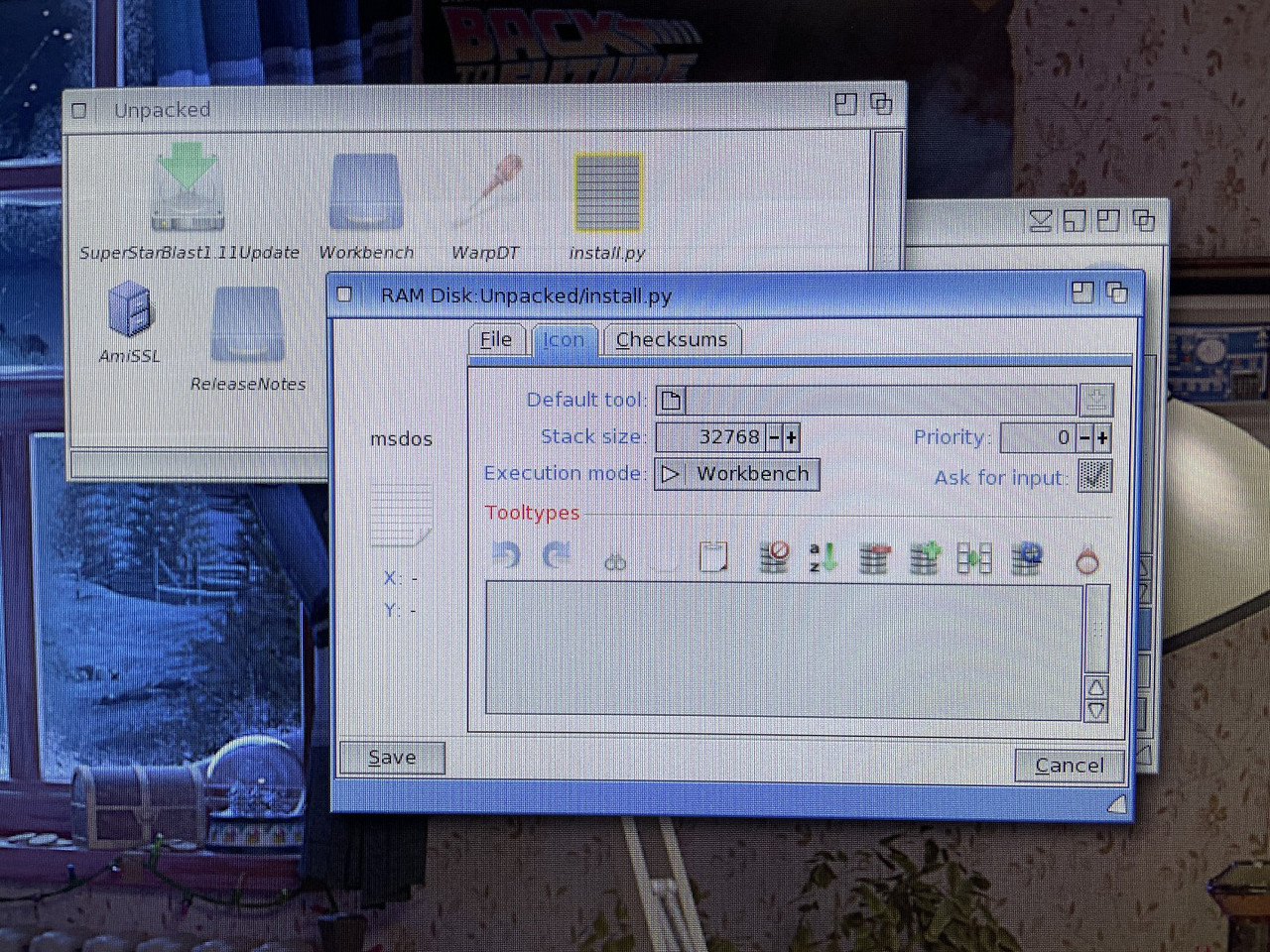
Downloaded a WarpDT update via AmiUpdate but when I run the script it opens up MultiEdit? Go to Info-Icon-Default Tool and change it to Installer? IconX?
so what default tool will run this installs script then
OS4 also has the old OS3-style installer (SYS:Utilities/Installer). Since WarpDT is cross-Amiga-platform, it's more likely that it uses this installer rather than the Python-based installation utility, which is OS4 only.
It's part of OS4.1, as is the older Installer, so you should already have both. They both live in Sys:Utilities, though only the Installation Utility has an icon.
ok thanks, for some reason I must have removed it but found an old sys backup from a while back and copied the file back. Now I'm getting an error message from Installation Utility "ERROR:Python Runtime Error,Return code-1" ?
so where do I get the Rabbit hole...er Python now ?
so where do I get the Rabbit hole...er Python now ?
Python comes with OS 4.1 too, so you should already have it as well. Python has several parts: There's a small program called Python that lives in Sys:C. There's also libpython25.so, which lives in Sys:SObjs. Finally, there's a Python directory in Sys:System that has a bunch of other files that Python uses. Check to see if any of these have also gone missing.
AutoInstall files are shell scripts used by AmiUpdate. It looks like you have disabled installing updates in AmiUpdate. If you want to manually install AmiUpdate updates instead (why?) go to the directory with the unpacked download in a shell and use
Execute AutoInstall
For example the AmiUpdate "CopyStore" command creates a backup of the old version, to be able to use the AmiUpdate "rollback" function to downgrade to previous versions in case something doesn't work in the update, and installs the new version, in this line probably the "WarpDT" prefs program.
just checked and I have those files dated December 18,2016 and in System folder it's dated Jan6/2021
That's what I have, too. Try opening a shell window and typing "Python" then pressing Return. If you get a short message from Python and then the '>>>' Python prompt then the Python interpreter is running. Press Ctrl and '\' to exit Python.
Quote:
tried using c:python in the installer script (as per Petrol's recommendation) instead of installation utility and got this error:
As joerg noted, AutoInstall files are AmigaDOS scripts, not Python. The 'install.py' file in your earlier screenshot is the Python script. Per that screenshot it looks like you downloaded a number of different updates at the same time, and I suspect there's some confusion on which install script goes with which update (in particular, I wonder if the Python script doesn't belong to the SuperStarBlast1.11Update rather than WarpDT).


 News feed
 OS4 Feedback forum
 OS4Depot Feedback forum
 AmiCygnix forum
 ABC shell forum
 AmiKit forum
 Cinnamon Writer forum
 CodeBench forum
 Digital Universe forum
 Dopus 5 forum
 E-UAE forum
 Gnash forum
 Ibrowse forum
 JAmiga forum
 Odyssey forum
 OWB forum
 Qt forum
 SmartFileSystem forum
 Timberwolf forum
 TouchDevice forum
 TuneNet forum
 Unsatisfactory Software forum
 Donate