It is great it can open Libre office calc documents and it has graphs. Of coure, it is very simple now but very usable.
Now I have dilemma: may I write my next article with PapioOffice and MorphOS, or with GridCraft+WordCraft and AmigaOS4?
It is great to have such dilemma, up to now I wrote articles on linux or win.
THANKS to all who enables this - to you, walkero, andrea, kas1le and others! Perhaps in a little while, the Amiga will once again be my main home computer.
AmigaOS3: Amiga 1200 AmigaOS4: Micro A1-C, AmigaOne XE, Pegasos II, Sam440ep, Sam440ep-flex, AmigaOne X1000 MorphOS: Efika 5200b, Pegasos I, Pegasos II, Powerbook, Mac Mini, iMac, Powermac Quad
"Now I have dilemma: may I write my next article with PapioOffice and MorphOS, or with GridCraft+WordCraft and AmigaOS4?"
Although I am working on these ports, I am well aware that these apps completely outclass much of the Amiga homebrew we hold so dear. I create these ports because they offer features we have always wanted—capabilities we have never seen at this level on the Amiga—but I honestly don’t know if, in the end, we will continue using our beloved, more limited homebrew simply because it feels more "Amiga-like."
We are experiencing a very rapid advancement for which we were not mentally prepared.
Perhaps porting these apps and killing off our homebrew is a mistake; time will tell.
Should we finally move toward modern applications—some of which, in their 2026 versions, are quite close in capability to their Adobe or Autodesk counterparts, while others are stripped-down versions comparable to 2016-era software—or should we focus on improving the homebrew solutions we already had? It is an interesting dilemma brought about by these new times and advancements.
One does not rule out the other; having a choice now is a great thing... this can only encourage the talented Amiga scene to improve their own software.
What a strange discussion. AOS4 is not a classic retro platform. It was targetting to become a "serious" platform and stagnated. Commercial it was not big enough to finance and justify commercial development. That is also true for software development. Homebrew is not a value in itself but must also satisfy needs. But all those projects finally stagnated because no money can be earned and developer behind lost interest. Now we have the chance to get modern software on all platforms and become useable. Best develppment is controlled by community, not by single persons or entities who controlled rights. And regarding homebrew, nobody is hindering homebrew developers to use AI to speed up development too. If they do not want then their software simply becomes obsolet.
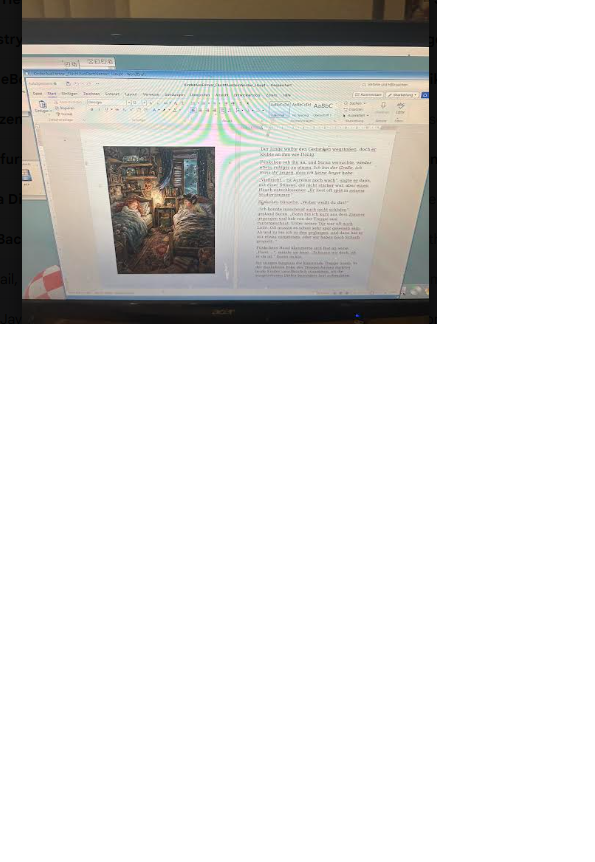
Here's my Fantasy Novel, edited in WordCraft on AmigaOS 4
Never thought this possible
Things I noticed (and yes, I know that my novel is a bit of a LARGE document to edit it on AmigaOS probably ^^ Part 2 would even slow down on PC sometimes)
- The way it splits up the paragraphs sometimes looks a bit strange, compared to how LibreOffice (on PC) does it (I write with LibreOffice) - Scrolling with the scrollbar is *extremely* slow. Of course we have to see here that "The Children of Eonvar" is a document of over 300 pages (and part 2 over 500 pages), so this might be an issue of scope. Interesting though that scrolling with keyboard shortcuts works fast, just grabbing the scrollbar with the mouse - that's so slow it is not usable with my novel
Of course I used a bit of an extreme example here - not only hundreds of pages, but also over 20 color images included inside the text ^^
(Writing my fantasy novel is my third big hobby, besides Amiga coding and Tabletop RPG ^^)
But sadly editing the text on AmigaOS is not really a big option due to the scrolling slowdown. Inserting text, for example at page 300, also is unbearable slow. But I guess for smaller documents WordCraft is perfectly usable of course
ANyways good job, I had not expected my novel would load up at all, due to how huge this document is.
Thanks for all the hard work!!! It works quite well, though I have the same observation as I did for the new version of Odyssey: unfortunately, when using a Polish keyboard layout, the characters "żźćńąśłó" are not displayed correctly.
The apps support many languages; however, some encounter issues on AmigaOS4 regarding their dictionaries, and I am currently working on those other languages.
Many modules, once updated or improved in one app, can be quickly adapted for use in other Craft apps. I could potentially be releasing updates for these apps every single day, but I’ve realized that doing so ends up flooding platforms like OS4Depot and Aminet. Therefore, moving forward, I will only make public releases once an app has received comprehensive, fully tested updates.
If anyone would like access to intermediate development betas, I will provide that access to those who support me via Ko-fi.
Of course, the final updates will remain public and free.
I looked through the program's settings for an option to change the character encoding, but I couldn't find anything. As you can see in the video, I have the interface set to Polish, and everything else I could find in the settings—such as spell-checking (even if it’s not functional yet) is also configured for Polish. Usually, when a program like the new Odyssey, for instance has trouble with keyboard input, you can at least paste text written elsewhere (e.g., in Notepad) and it will display correctly. Here, as shown in the video, even when pasting text, the characters get garbled. Unfortunately, for the time being, this program is useless for any Amiga users who rely on an encoding other than ISO-8859-1; I hope this changes soon.


 News feed
 OS4 Feedback forum
 OS4Depot Feedback forum
 AmiCygnix forum
 ABC shell forum
 AmiKit forum
 Cinnamon Writer forum
 CodeBench forum
 Digital Universe forum
 Dopus 5 forum
 E-UAE forum
 Gnash forum
 Ibrowse forum
 JAmiga forum
 Odyssey forum
 OWB forum
 Qt forum
 SmartFileSystem forum
 Timberwolf forum
 TouchDevice forum
 TuneNet forum
 Unsatisfactory Software forum
 Donate